No Real Search
Hundreds of conversations with no way to filter, tag, or full-text search across them.
100% Local · Zero Cloud Upload
Import and search your ChatGPT, Claude, DeepSeek, and Grok conversations — 100% local, zero cloud upload.
AI Chat Importer is a privacy-first tool that lets you import, search, and archive your ChatGPT, Claude, DeepSeek, and Grok conversation exports into a fully searchable local archive. All processing happens locally on your device — in your browser with the free web app, or natively on Windows and Linux with the Desktop App. No account required, no data uploaded, nothing leaves your device.
New here? Read our complete guide to backing up AI conversations.
Already a power user? Windows & Linux Desktop App — £29 one-time →
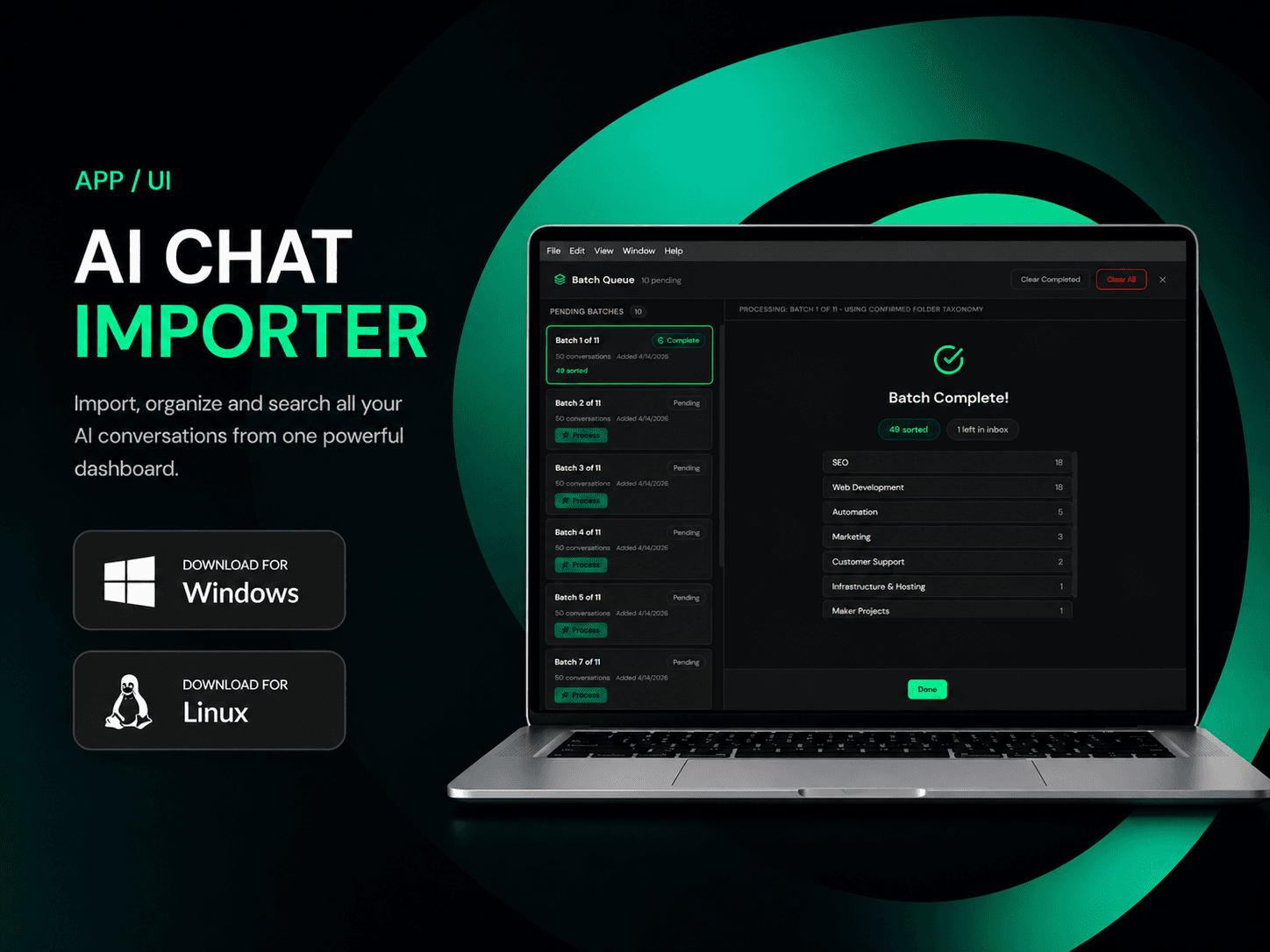
The same problems apply whether you use ChatGPT, Claude, DeepSeek, or Grok.
Hundreds of conversations with no way to filter, tag, or full-text search across them.
Your prompts and responses live on third-party servers. You have no offline, private copy.
Account bans, outages, or policy changes can wipe months of conversation history without warning. This applies to every AI platform — ChatGPT, Claude, DeepSeek, and Grok alike.
Three steps. No sign-up required.
Upload your export from ChatGPT, Claude, DeepSeek, or Grok — see our export guides if you need help. Parsing happens entirely on your device — in your browser with the web app, or natively with the Desktop App.
Full-text search across every message. Filter by date or conversation title. Find anything in seconds.
Nothing leaves your device. No analytics, no tracking, no server-side storage. Your conversations stay yours.
The free web app runs fully in your mobile browser. Rebuilt search, platform filters, find-in-conversation — everything works on a small screen.
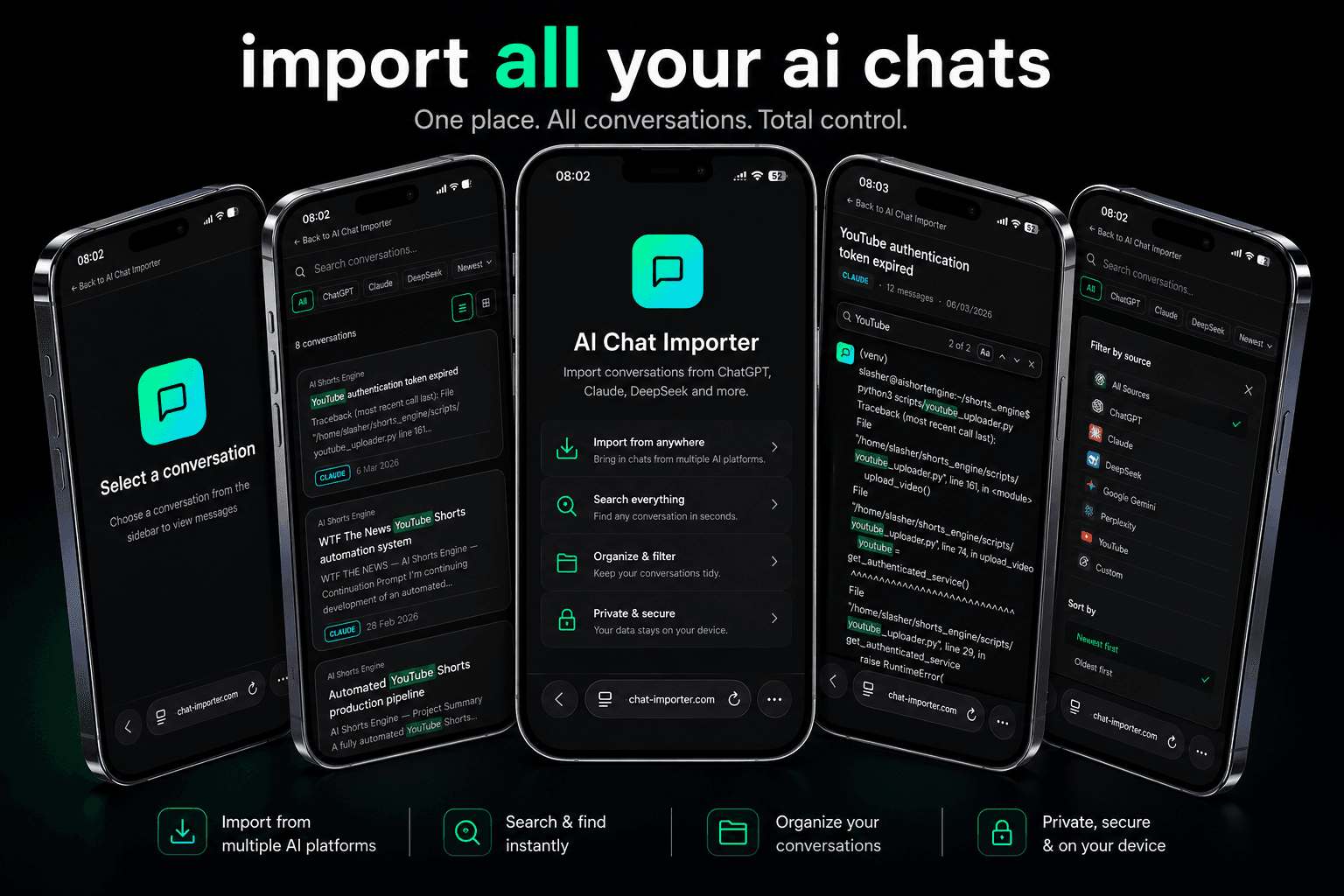
Install it to your home screen for a full-screen experience. Free, no sign-up, no App Store.
Open Web App — It's FreeDesktop App — Windows & Linux
A one-time £29 purchase — no subscription, no ongoing cost.
No browser storage limits. Tens of thousands of conversations stored as individual files.
Automatically organise conversations into folders using a local Ollama model or cloud AI.
Drag-to-reorder, bulk select, inbox drawer, and right-click context menu.
Keyword highlighting, platform filters, date filters, folder scope, and search history.
Available for Windows and Linux. Mac coming soon.
Go to ChatGPT Settings → Data Controls → Export Data. You'll receive a ZIP file by email within minutes. Open that file in AI Chat Importer to import all your conversations instantly.
No. All processing happens locally on your device — in your browser with the web app, or natively with the Desktop App. No conversation data is ever transmitted to our servers.
Yes. AI Chat Importer supports ChatGPT, Claude, DeepSeek, and Grok exports for local, private archiving. Export your conversations from each platform and import them all into a single searchable archive.
Yes. Both the web app and Desktop App work fully offline. The web app stores your archive in your browser's IndexedDB; the Desktop App stores conversations as individual files on your filesystem. No cloud connection is ever required.
Yes. The web app is completely free to use with no account required. A paid desktop app for Windows and Linux is also available at £29 one-time — it adds unlimited storage, Smart Import, Auto-Sort with AI, and a Folder Manager. Learn more →
AI Chat Importer works in all modern browsers: Chrome, Firefox, Safari, and Edge. We recommend Chrome or Edge for the best performance with large conversation archives.
Because all data is stored locally on your device, you remain in full control. Web app data is stored in your browser's IndexedDB — clearing browser data will remove it, but you can always re-import from your original export file. Desktop App data is stored as files on your filesystem and is unaffected by browser data.
The ChatGPT export is a raw JSON file that's not readable without a developer. AI Chat Importer gives you full-text search, date filtering, conversation browsing, and a readable interface — all without sending anything to a server.
You can verify AI Chat Importer's privacy claims yourself — open DevTools in your browser while using the app, check the Network tab, and you will see zero conversation data transmitted to any external server. The product processes everything locally on your device.
We actively maintain compatibility with all supported export formats — ChatGPT, Claude, DeepSeek, and Grok — and ship updates whenever any platform changes their data structure. Your existing archive is never affected by format changes.
More questions? Visit our full FAQ or contact us.
Import your AI conversation export and start browsing in under a minute. Free. No account required.
Need help exporting your chats? Read our AI conversation guides.